

Documentation
Welcome to the Avara documentation. Here you'll find comprehensive guides and references for using the products on the Avara platform.
Products
Section titled “Products”Pick the product that best fits your needs.
AutoScribe
Section titled “AutoScribe”Platform designed for radiologists and other specialties to conduct reads with state-of-the-art AI-powered dictation.
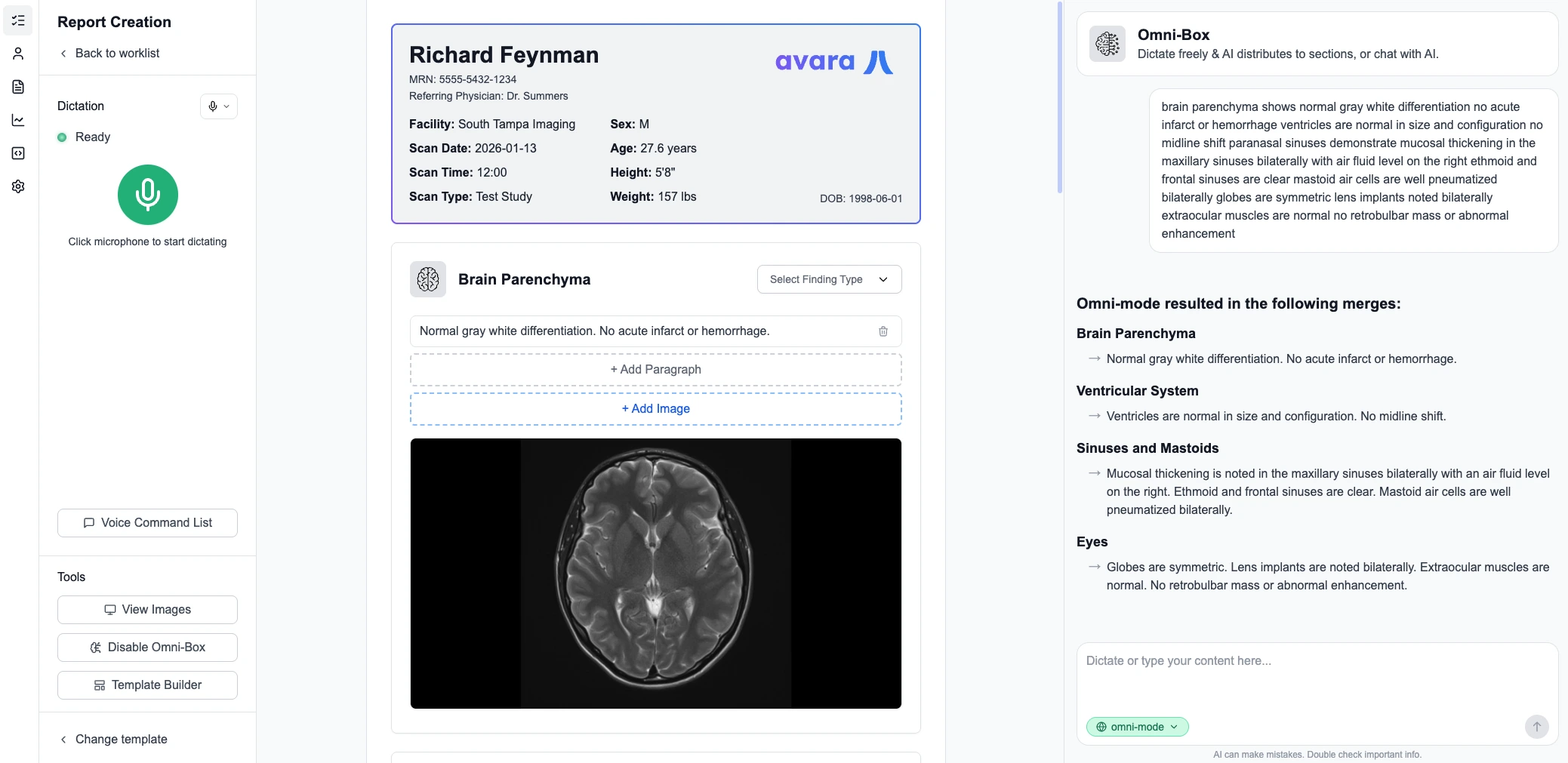
- Dictation — Advanced speech-to-text with medical terminology support
- Omnibox — Quick actions and navigation at your fingertips
- EHR/PACS Integration — Seamlessly integrates into existing clinical workflows
- Avara Viewer Included — DICOM viewer configuration is optional but included for free
Avara Viewer
Section titled “Avara Viewer”High-performance, FDA-cleared, web-based diagnostic DICOM viewer built for speed and quality.
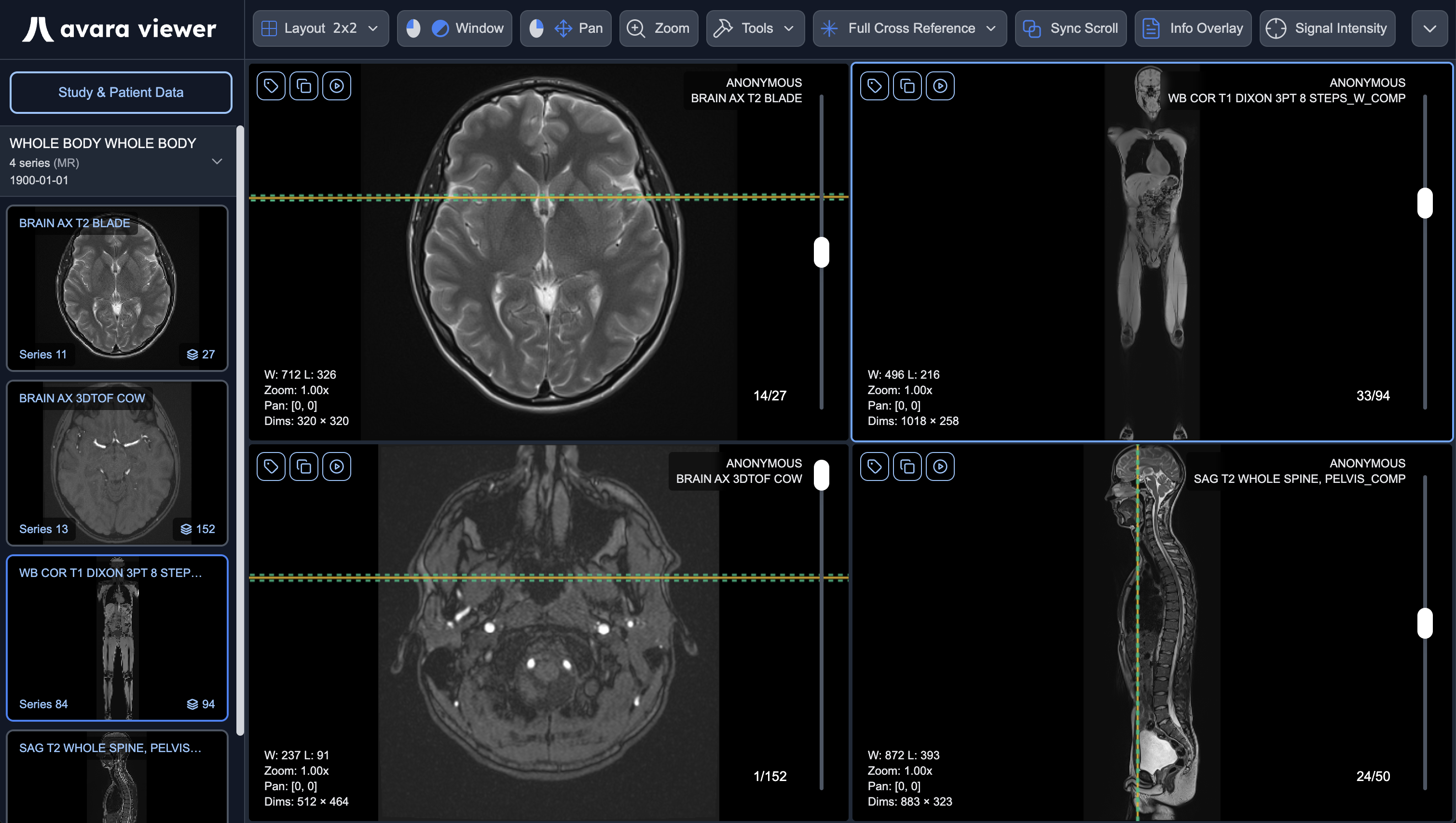
- Fast Rendering — Optimized for large imaging studies
- Advanced Tools — MPR, 3D volume rendering, fusion, annotations
- Mammography Support — Specialized hanging protocols and display tags
- Standalone or Integrated — Use independently or as part of the Avara platform
Learn more about Avara Viewer →
Clinical Platform
Section titled “Clinical Platform”Full solution to support clinical workflows in a single unified platform — scheduling, clinical documentation, imaging, patient engagement, and operations in one place.
- EHR & Charting — Chart notes, AutoChart ambient documentation, and clinical records
- Scheduling — Appointment types, self-serve booking, and calendar management
- PACS & Imaging — End-to-end imaging with an integrated DICOM viewer included at no extra cost
- Patient Portal — Modern portal for forms, results, imaging, payments, and messaging
- Operations — Intake forms, office tablets, rooms, PACS, and practice configuration
- Billing & Payments — Stripe Connect patient payments; e-prescribe; insurance billing (RCM) coming Q3 2026
- Avara Connect — Referrals, study sharing, and partner workflows built into the same system
Learn more about Clinical Platform →
Avara Connect
Section titled “Avara Connect”Secure interoperability for continuity of care and cross-organization data exchange.
- Continuity of Care — Share records when patients transition between providers
- Secure Exchange — HIPAA-aligned sharing with configurable access controls
- Platform Integration — Works alongside the Clinical Platform and connected systems
Learn more about Avara Connect →
Get Started
Section titled “Get Started”New to Avara? Start here to get up and running quickly.
AutoScribe Guides
Section titled “AutoScribe Guides”Comprehensive documentation for using AutoScribe, including AI features, templates, and dictation.
Avara Viewer Guides
Section titled “Avara Viewer Guides”Comprehensive documentation for using the Avara DICOM viewer, including loading data, toolbar controls, and viewport features.
Connect Guides
Section titled “Connect Guides”Documentation for Avara Connect — referrals, imaging exchange, and continuity of care.
Clinical Platform Guides
Section titled “Clinical Platform Guides”Documentation for the Clinical Platform.
Integration Guides
Section titled “Integration Guides”For PACS companies, EHR/RIS platforms, and IT teams embedding AutoScribe or Viewer. Clinical Platform sites start from the product overview instead.