

Specialty Modules
Optional specialty add-ons to the Avara Viewer — overlays, hanging protocols, and per-reader enablement.
Introduction
Section titled “Introduction”The Avara Viewer covers routine diagnostic reading. Specialty modules are optional add-ons on top of that built-in viewer. You enable them per reader. The same modules apply wherever Avara Viewer is used — standalone Viewer, AutoScribe, and the Clinical Platform.
Assignment lives with PACS administration:
- Viewer — PACS → Viewer Modules. Admins and owners can assign modules when Avara PACS is enabled for the organization.
- AutoScribe — PACS → Viewer Modules. Same list and same admin-or-owner control. Modules apply when the reader opens the study in the built-in viewer from AutoScribe.
- Clinical Platform — Operations → PACS → Viewer Modules. Users with Can Manage PACS control assignment.
The list includes active users who can create reports.
Modules add specialty overlays and hanging behavior for workflows the base viewer does not turn on by default. They are distinct from workstations on the Clinical Platform, which connect third-party specialty viewers over a dedicated gateway.
QT Viewer
Section titled “QT Viewer”QT Viewer is $99/month per reader when enabled.
With the module on, the viewer:
- Renders the three QT density values — FGV, TBV, and FGR — on qualifying series
- Applies the QT hanging protocol so those studies open in the expected layout
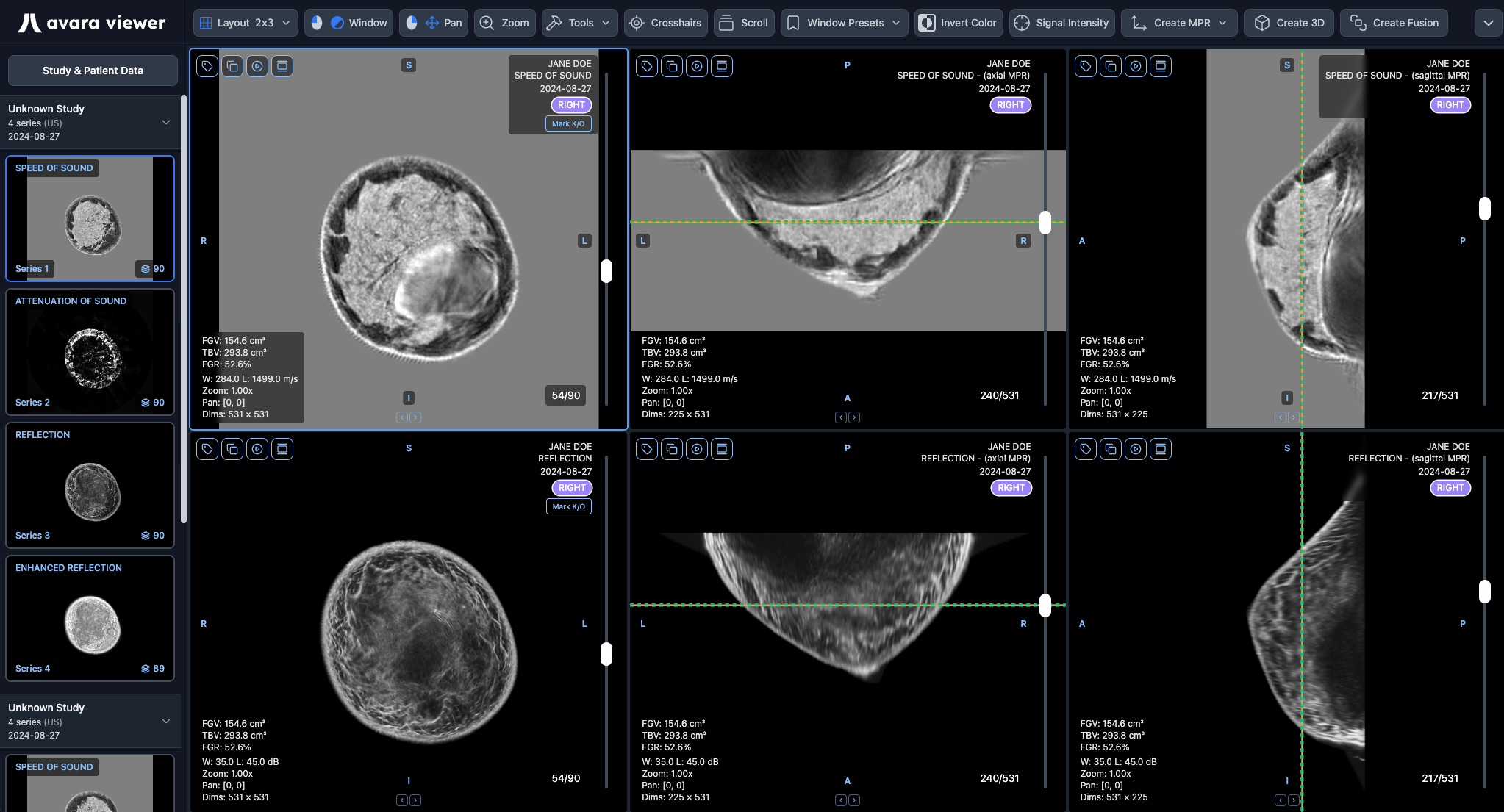
ROI and windowing units (real-world value mapping on the viewport) are always rendered, even when the QT Viewer module is not enabled. Enabling the module adds the density values and hanging protocol; it is not required to see calibrated units on measurements and window/level.
Clinical Platform pricing for modules is also listed under Pricing — Viewer.
More Modules
Section titled “More Modules”Additional specialty modules are in the works. They will appear in the same list and follow the same per-reader enablement model when they ship.