

Overview
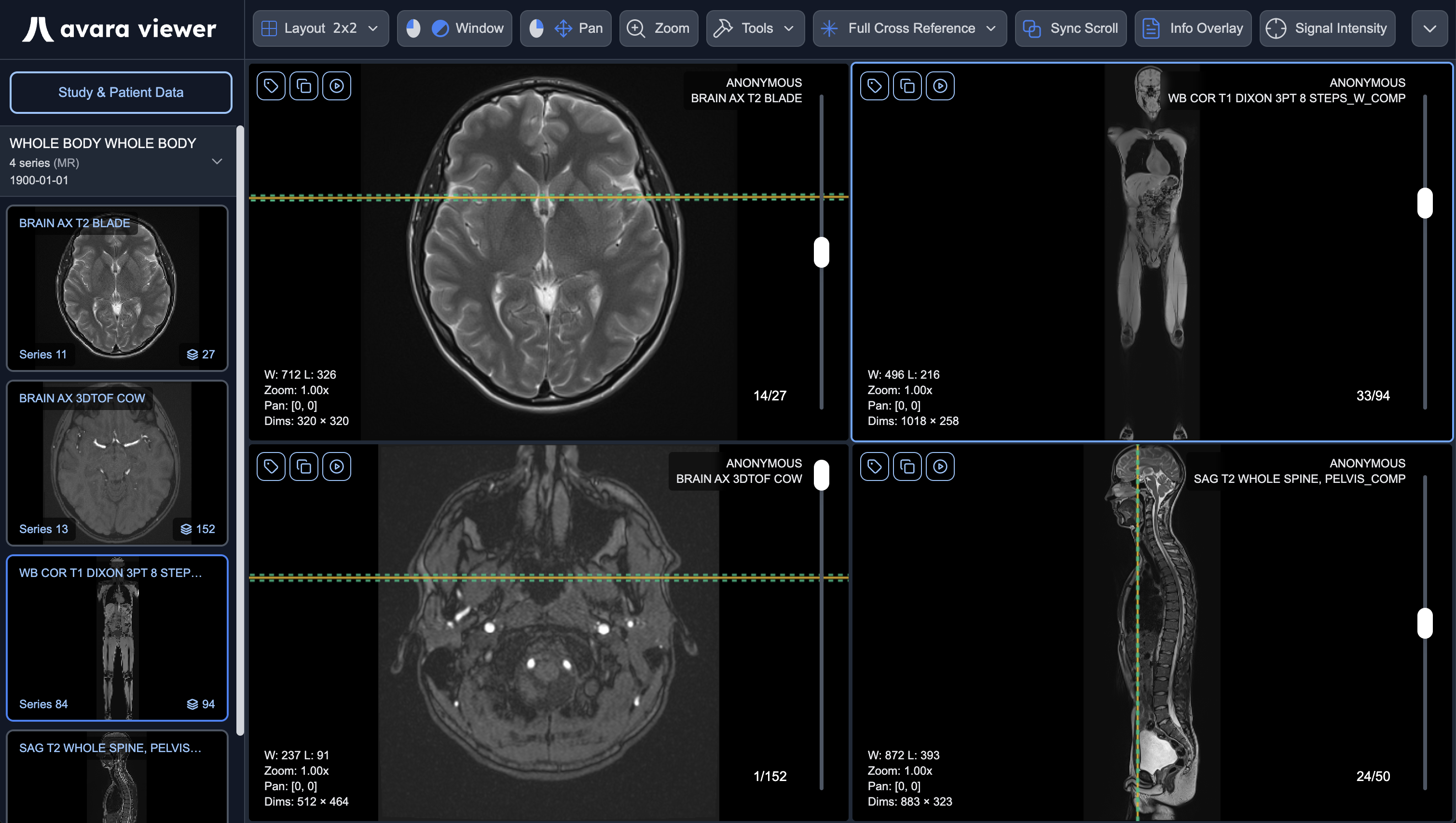
The Avara Viewer is a high-performance, FDA-cleared, web-based diagnostic DICOM viewer, built to enable radiologists to perform extremely fast and high quality reads.
User Guides
Section titled “User Guides”Learn more about using the Avara Viewer with our comprehensive user guides.
FDA Status
Section titled “FDA Status”The Avara Viewer holds FDA 510(k) clearance under K262120.
Avara Viewer is a software-only Medical Image Management and Processing System cleared to display, process, read, report, communicate, distribute, store, and archive medical data available as DICOM data, including mammographic images, to support physicians in diagnosis. For primary mammographic diagnosis, only uncompressed or non-lossy compressed images may be used.
The Instructions for Use (IFU) for the Avara Viewer – including intended use, contraindications, warnings, and operational guidance – are available here. The electronic device label is available here.
Pricing
Section titled “Pricing”The pricing below applies to the standalone Avara Viewer product. When bundled with the Avara Clinical Platform or AutoScribe (standalone dictation product), the viewer is included at no additional cost – completely FREE.
| Feature | Free Tier | Pro Tier | Enterprise Tier |
|---|---|---|---|
| FDA-cleared viewer | |||
| Mammography support | |||
| Integrate with PACS/RIS | |||
| HIPAA BAA | — | ||
| Custom support | — | — | |
Cost | FREE | $0.25/study | Contact Us |
Test the Avara Viewer!
Section titled “Test the Avara Viewer!”You can use the Avara Viewer right now by navigating here and by clicking the Load Test Study button.
Hardware Requirements
Section titled “Hardware Requirements”The Avara Viewer runs entirely in the browser. The requirements below describe what is needed for diagnostic image rendering, data loading, and a smooth clinical reading experience.
Minimum System Requirements
Section titled “Minimum System Requirements”Mandatory
Section titled “Mandatory”| Requirement | Specification |
|---|---|
| WebGL2 | Required for all diagnostic image rendering. Supported in all modern Chromium (Chrome, Edge), Firefox, and WebKit (Safari) browser versions. If WebGL2 is unavailable, an error screen is displayed and diagnostic use is not possible. |
| Web Workers | Required for DICOM parsing. Supported in all modern browsers. |
| HTTPS | All DICOM data retrieval requires HTTPS. Non-HTTPS connections are rejected. |
| Browser | Chromium (Chrome, Edge), Firefox, or WebKit (Safari) – current or recent major version. |
| Operating System | Windows, macOS, or Linux – OS-independent; the browser is the execution environment. |
| RAM | 8GB of RAM is the absolute minimum needed to function and display images. Memory-intensive workflows may require substantially more (see below). |
Optional
Section titled “Optional”| Requirement | Specification |
|---|---|
| WebGPU | Used for accelerated MPR, 3D, and fusion volume resampling. If unavailable, WebGL2 fallback is used with identical output accuracy. |
| Window Placement API | Required for cross-monitor hanging protocol window placement. Supported in Chromium-based browsers (Google Chrome and Microsoft Edge) only. Firefox and Safari do not currently support the Window Placement API. If unavailable, all viewports open within the originating browser window. |
| BroadcastChannel | Required for multi-tab collaboration sync. Available in all modern browsers. |
| RAM (extended) | Memory-intensive workflows may require 16GB+ of RAM; the most intensive workflows may need up to 32GB or 64GB. Recommended targets per study size and viewer instance count are in the table below and are communicated during onboarding to help teams plan for the best experience. |
RAM for clinical workloads
Section titled “RAM for clinical workloads”8GB RAM is the practical floor for using the viewer. The viewer may attempt to run with less RAM, but severe performance degradation is expected below 8GB. For production reading, plan RAM from how you actually work: the number of simultaneous viewer instances (e.g. monitors or windows) and the largest anticipated study size you routinely open. If either grows without adding RAM, you should expect slower loads, stuttering, or tab crashes.
Target minimum system RAM is the larger of the 8GB baseline and:
viewer instances × study size in GB × 6
Example: 2 instances and a 500MB study → 2 × 0.5GB × 6 = 6GB RAM of workload headroom, so the recommended system target remains the 8GB RAM minimum.
A stronger GPU generally means smoother scrolling, MPR, and 3D. Performance has qualitatively been best on Mac devices with Apple Silicon, though the viewer remains fully supported on Windows and Linux with capable discrete or integrated graphics.
| Largest anticipated study size | 1 viewer instance | 2 viewer instances | 3 viewer instances |
|---|---|---|---|
| 100MB | 8 GB RAM | 8 GB RAM | 8 GB RAM |
| 250MB | 8 GB RAM | 8 GB RAM | 8 GB RAM |
| 500MB | 8 GB RAM | 8 GB RAM | 9 GB RAM |
| 1GB | 8 GB RAM | 12 GB RAM | 18 GB RAM |
| 2GB | 12 GB RAM | 24 GB RAM | 36 GB RAM |
Studies whose series contain very large frames (for example breast tomosynthesis) may need additional RAM beyond these targets to achieve similar smoothness. The values above are planning estimates, not hard limits–some workflows are far more computationally expensive than others. If you see performance degradation, increasing RAM or reducing concurrent study size or viewer instances will typically resolve it.
Support
Section titled “Support”- The Avara Viewer is built to be a general DICOM viewer, delivering an optimal reading experience, agnostic to modality.
- Our enterprise customers get a concierge style experience with dedicated support for PACS & RIS integrations, along with special requests for edge case modes and special functionality.
- Are you looking for a special type of viewer, like a surgery planner or other advanced visualization tool? We can build it for you. Reach out to richie@avarasoftware.com with inquiries.