

Documentation
Welcome to the Avara documentation. Here you'll find comprehensive guides and references for using the products on the Avara platform.
Products
Section titled “Products”Pick the product that best fits your needs.
AutoScribe
Section titled “AutoScribe”Platform designed for radiologists and other specialties to conduct reads with state-of-the-art AI-powered dictation.
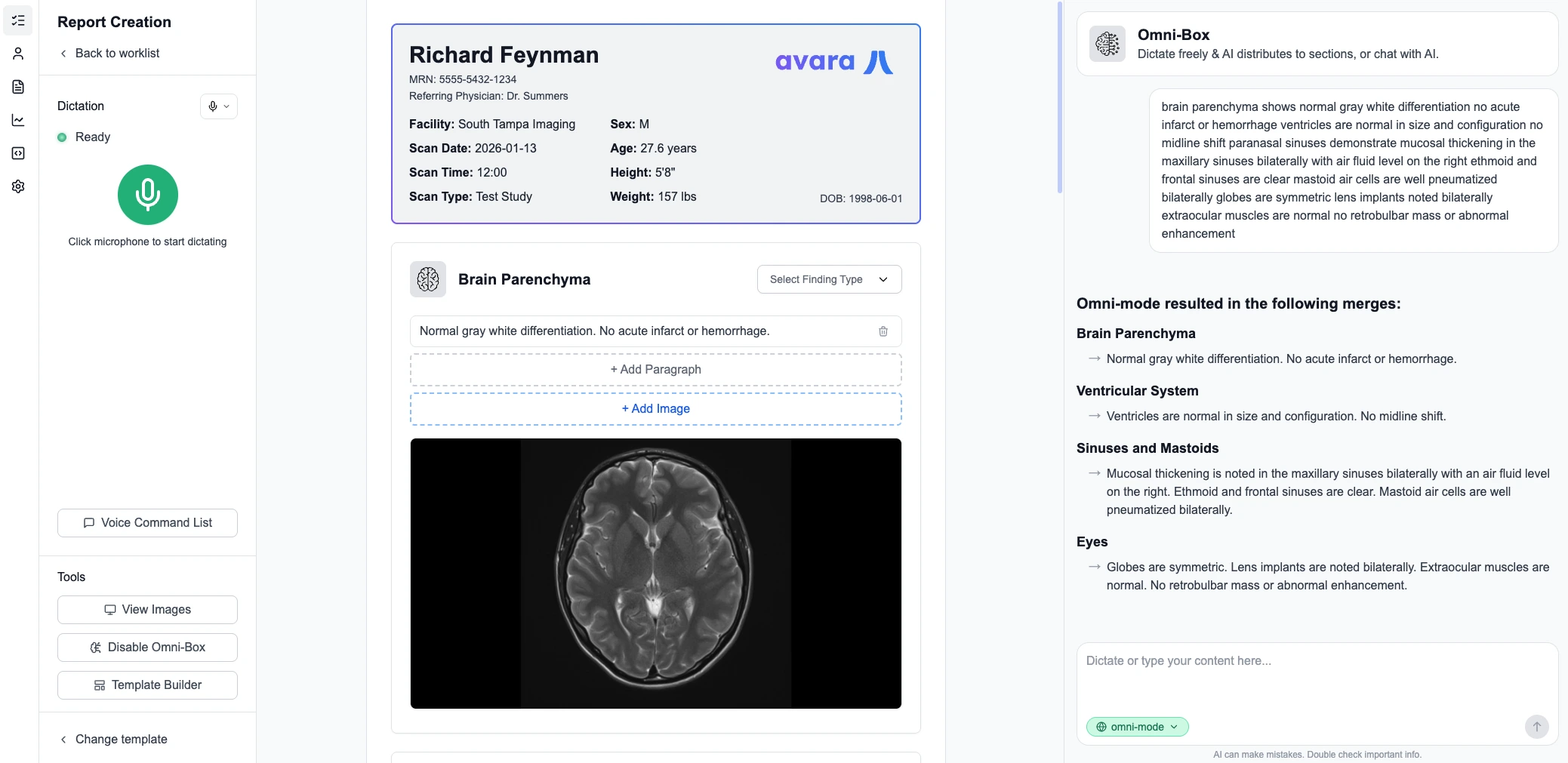
- Dictation — Advanced speech-to-text with medical terminology support
- Omnibox — Quick actions and navigation at your fingertips
- EHR/PACS Integration — Seamlessly integrates into existing clinical workflows
- Viewer Included — DICOM viewer configuration is optional but included for free
Viewer
Section titled “Viewer”High-performance, web-based diagnostic DICOM viewer built for speed and quality.
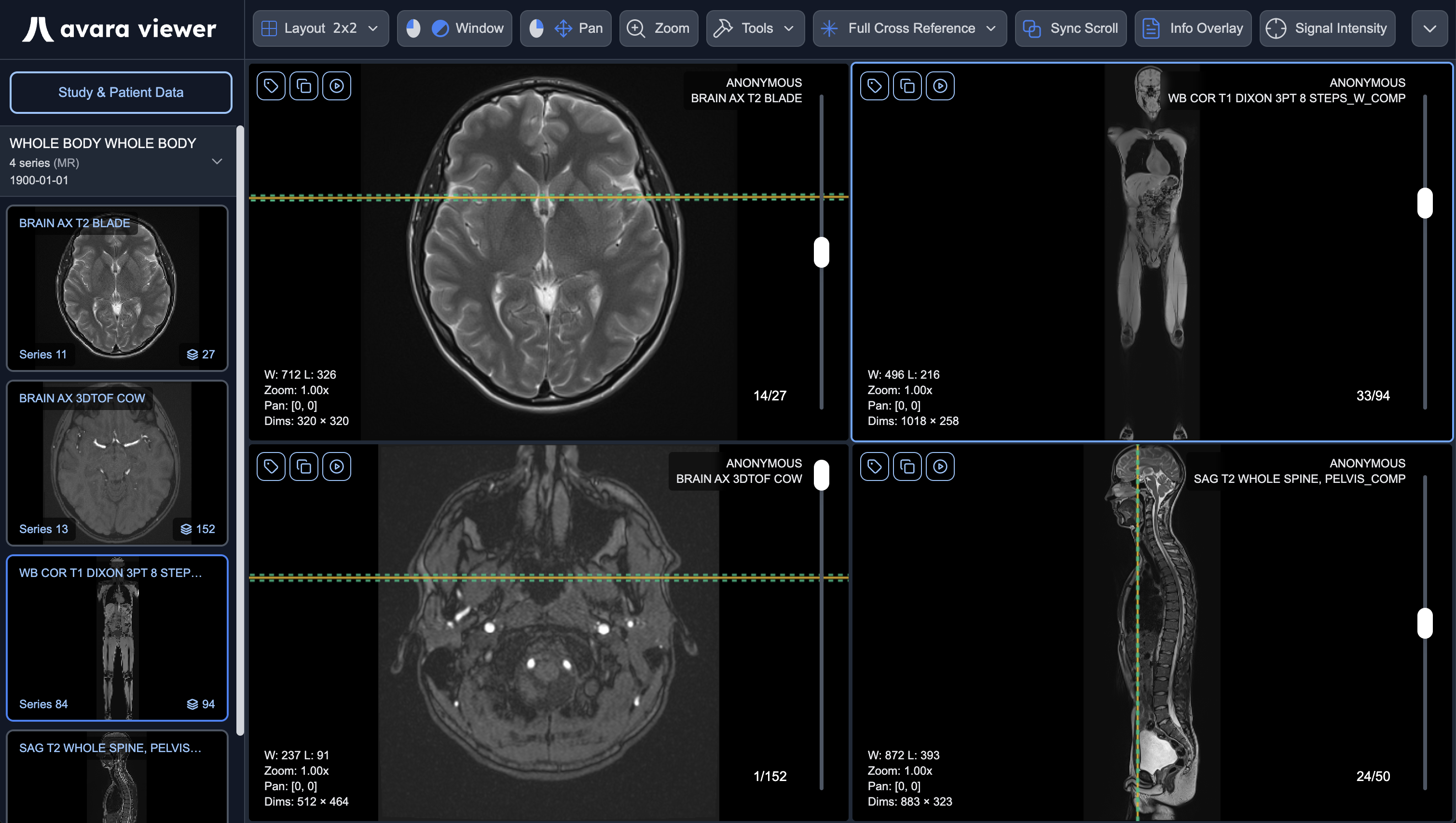
- Fast Rendering — Optimized for large imaging studies
- Advanced Tools — MPR, 3D volume rendering, fusion, annotations
- Mammography Support — Specialized hanging protocols and display tags
- Standalone or Integrated — Use independently or as part of the Avara platform
Avara Clinical Platform
Section titled “Avara Clinical Platform”Full solution to support clinical workflows in a single unified platform.
- EHR — Electronic health records management
- Scheduling — Appointment and resource scheduling
- PACS — Picture archiving and communication system
- AutoScribe — AI-powered dictation and reporting
- DICOM Viewer — Integrated diagnostic imaging viewer
- Billing & Payouts — Revenue cycle management
- Patient Portal — Patient engagement and messaging
Learn more about Avara Clinical Platform →
Get Started
Section titled “Get Started”For Users
Section titled “For Users”New to Avara? Start here to get up and running quickly.
For Integrators
Section titled “For Integrators”Building integrations with Avara? These guides are for PACS companies, EHR/RIS integrators, and IT departments.
Get started with our SDKs today →
AutoScribe Guides
Section titled “AutoScribe Guides”Comprehensive documentation for using AutoScribe, including AI features, templates, and integration.
Viewer Guides
Section titled “Viewer Guides”Comprehensive documentation for using the Avara DICOM viewer, including loading data, toolbar controls, and viewport features.
Clinical Platform Guides
Section titled “Clinical Platform Guides”Documentation for the Avara Clinical Platform.